
The average small business team uses 8 tools to manage work. Most of those tools do not talk to each other. Tasks get dropped, approvals sit in inboxes for days, and nobody knows where anything is.
Business process workflow software fixes this by connecting every step of a repeatable process, task assignment, approvals, handoffs, and reminders into one automated sequence.
But most teams buy workflow software before they are ready for it. This guide tells you exactly when it helps, when it does not, and how to avoid the mistakes that waste months of setup time.
What Is Business Process Workflow Software?
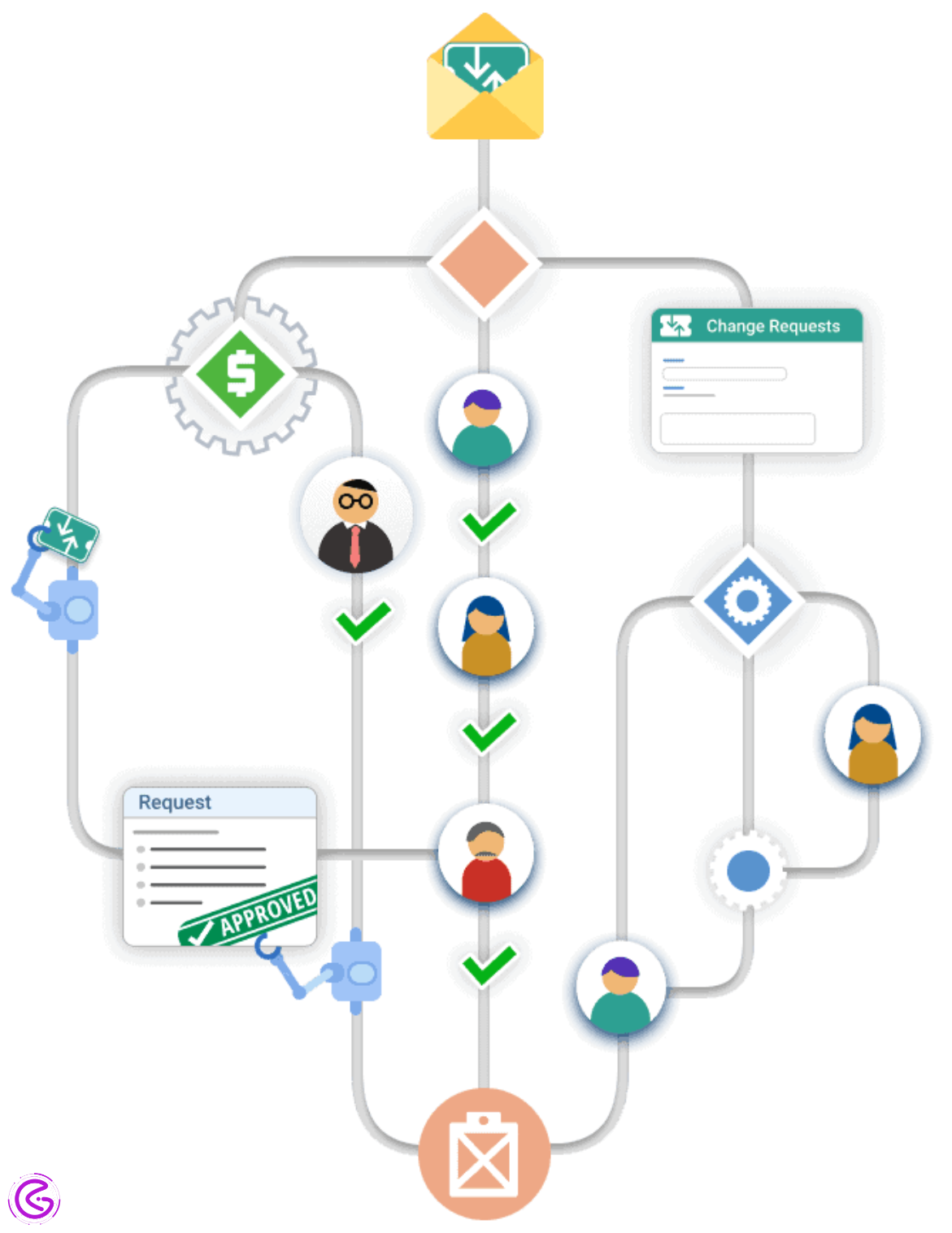
Business process workflow software is a tool that helps teams automate and manage repeatable tasks from start to finish. That assists organizations by mapping out repetitive processes from beginning to end and automating these steps. The automation system has built-in checks and balances for approval and hand-off. Each step in a given process will be completed in the appropriate sequence, eliminating the need for manual check-ins. This can be thought of as a GPS for your workplace; instead of sending emails, reminders, or attempting to “follow up” on previous communication, this technology will automatically route and document tasks and escalate if necessary.
When Should You Use Business Process Workflow Software?
Use Business Process Workflow Software When:
- Processes are consistently delayed for a long time because of handoffs from one person to another.
- There is an ongoing problem with many steps being missed or lost in important processes that cause delays.
- Your team does not know where each task is in the workflow at all times. Don’t use this type of software if you have poorly defined or communicated processes.
The Question Nobody Asks
After ten years of trial-and-error in trying to implement BPM (business process management) systems into organizations, here is my basic rule:
- If an organization has issues due to staff forgetting what action needs to be taken in their work processes,→ Fix the documentation first.
- If an organization has issues with employees ignoring the steps of a given work process, → Fix responsibility/Accountability first.
- If an organization has multiple handoffs in the course of completing a task/work flow → At that time, use BPM software.
I have broken this rule at least four times. Purchased BPM software. Created complicated workflows. Celebrated. Watched everyone ignore the new workflow because the actual issue wasn’t related to the system; it was related to the people.
You can think of it in the following way. Would having a faster BPM tool actually solve your bottleneck? Or would it simply enable you to make errors more quickly?
What Business Process Workflow Software Actually Solves (Not What Marketers Say)
Marketers will tell you business process workflow software “transforms your business.”
Let me translate what that actually means.
It solves exactly three problems:
| Problem | What It Looks Like | Software Actually Helps? |
| Handoff delays | “I emailed the file to Sarah, but she didn’t see it for three days.” | Yes — automatic routing + reminders |
| Step skipping | “I forgot to get legal approval before sending the contract.” | Yes — mandatory step enforcement |
| No visibility | “I have no idea where that request is right now.” | Yes — live tracking dashboards |
Everything Else?Process Improvement, Training, or Better Management.
I learned that the Hard Way. I spent a lot of money to purchase a Workflow Tool to help us “communicate” (we thought). It turned out we simply needed a Shared Checklist and 10 minutes per day of a Daily Huddle. That Software has been collecting dust for 8 Months.
The 2026 Shift: From Automation to Orchestration
Workflow technology has advanced dramatically since we started using workflow systems.
Early workflow products were inflexible, strictly following predefined steps. Today, they are evolving towards Orchestration, which adapts based on actual business processes. According to McKinsey Digital’s Q4 2025 report, over 60% of workflow installations now incorporate conditional logic to respond to real-time data. For instance, a client intake process I worked on initially treated all requests the same, causing delays for straightforward requests and bottlenecks for complex ones. By introducing three upfront questions, we created a more intelligent workflow that routed requests based on client responses, enhancing efficiency while maintaining consistent logic.
This is Orchestration. This is not simply Automation.
The Single Biggest Mistake I See (And How to Avoid It)
This will be a very brief story about my experience. My friend has a 25-person marketing firm. She purchased workflow business process software; she mapped out all of her processes for two months. All of them. Onboarding, offboarding, content approval, invoice review, vacation request, help desk ticket, etc…
After spending so much time on this project,t she became fatigued. The rest of her staff were also unhappy. Within six weeks, most of these processes were no longer being used. Why did this happen? My friend attempted to automate before she simplified.
A better approach would be to create a flowchart on paper (or white board). Run the manual version 3-5 times. Remove every step that is NOT necessary. Once you have done that, you can enter it into your workflow software.
Yes, I am aware that this may seem like it would take longer, but I assure you it would end up taking less time in the end. An automated version of an unorganized process is just going to produce quicker chaos.
Tip #1: Only choose one process to begin with. Don’t start with three or five processes. Begin with only one. Spend thirty days working with it. Then, as needed, add more processes.
How to Know You’re Ready (A Simple Litmus Test)
Do you find yourself asking, “Okay, how do I know if now is the right time to purchase?”
My litmus test. Answer honestly:
- Is the same task getting stalled at the same stage every time?
- Are status update meetings taking up more than 2 hours a week of your team’s time?
- Has someone missed their due date within the past 30 days because “I did not realize that it was my responsibility”?
- Are there at least three members of your team involved with the same part of a project until completion?
If you said yes to two or more, it is likely you are going to benefit from using workflow software.
If you said yes to one or non-fix, your communication and documentation. Save the money for workflow software later.
Most teams never even take this litmus test.
They buy the software thinking that it will fix everything. Then they are confused when nothing changes.
Red Flags Your Current Setup Is Failing (Even Without Dedicated Software)
Do you currently have an existing method for handling this process?
You may be utilizing email filters, collaborative spreadsheet(s), or tasks assigned within a specific application that you currently use.
The following five indicators show that your current system (no matter what it looks like) is failing:
- Warning Sign #1:The approval of items being tracked via reply-all emails.
- Warning Sign #2: One employee has a “process” stored only in their brain.
- Warning Sign #3:For the third month in a row, the same deadline was missed.
- Warning Sign #4: If there is no documentation for your process, it has been over six months since that document was last updated.
- Warning Sign #5:There isn’t a single place that a new hire could look and find where any of the currently active tasks are located.
Do these seem familiar? They sure do. These are the exact warning signs that a more structured approach to your process (whether this means adopting better habits or software) is past due.
The Hidden Cost of Not Using Workflow Software
Let me flip the question for a second.
Everyone focuses on the cost of software. Subscription fees. Setup time. Training hours.
But what about the cost of not using it?
| Hidden Cost | Annual Impact (25-person team) |
| Time spent chasing approvals | 200-300 hours |
| Rework from skipped steps | 150-250 hours |
| Meeting time for status updates | 100-200 hours |
| Delayed projects due to bottlenecks | Hard to measure, but real |
I’m not saying this to scare you. I’m saying it because most teams underestimate how much chaos is actually costing them.
Recent stat: According to the Project Management Institute’s 2025 Pulse of the Profession report, organizations without standardized workflow processes waste 12% of their resources on rework and manual coordination.
That’s basically throwing away one month of work every year.
The One-Process Experiment
Let me provide you with an action item. Instead of purchasing software and jumping in, do this 30-day test:
- Step 1: Find a single repetitive task that is causing you frustration. That is all.
- Step 2: Write down each & every single step using a sticky note. Don’t use your software just yet.
- Step 3: Get rid of (remove) any unnecessary steps. It’s time to get ruthless.
- Step 4: For 14 days, run the new process by hand. Document how much time it takes.
- Step 5: If running the simplified version is still as painful after getting rid of the non-value-added steps, now consider software. What was so surprising about my experience doing this initially? I removed three processes to less than half the number of steps prior to even considering any software. This made the option to purchase software optional.
Do this exercise this week. Either you will avoid wasting money on something you didn’t need, or you will have complete clarity on exactly what software requirements you will be needing.
The Future: What Workflow Software Looks Like in 2027
The future of business process workflow software will look very different in 2027.
Prediction for 2027:
1.) natural language setup: tell the software about your workflow using natural language, and it creates the workflow for you.
2.) predictive bottleneck alerts: not only “this step is stuck”, but also “based on historical data, this step will be stuck in 4 hours”.
3.) Self-healing workflows: if a step fails, the system tries an alternative path without human intervention.
4.) cross-platform orchestration: workflows that seamlessly move between email, Slack, teams and your CRM without breaking.
Tools from two years ago are already obsolete. Don’t get caught up in chasing shiny new tools. The basics of business processes never go out of style. Clear steps. Good hand-offs. Visible accountability.
Conclusion
Look, business process workflow software is powerful. But it’s not magic. And it’s definitely not the first thing you should reach for when things feel chaotic.
The best way to begin is to focus on the process as a whole; next, simplify the process; after that, take responsibility for the process; lastly, and only lastly, automate.
While automated processes will likely become even more sophisticated by 2027 (e.g., natural language interfaces, predictive alerts, self-correcting workflows), the key underlying tenets of good processes will remain unchanged. These include clear transitions from task-to-task, clearly visible task statuses, and fewer steps. That is it.
My challenge to you is to pick a single process in your organization this week. Draw a simple map of the current flow. Eliminate at least three steps that are not necessary. Manually run the revised process for two weeks. After running the process for those two weeks, ask yourself: Do I really need an application to perform this function, or do I simply need to develop better routines?
Is there one process in your company today that seems more difficult than it should be? Let me know what that process is in the comments. I will give you an honest answer regarding whether using a workflow application would assist you — or if it would add additional “noise” to your work.
Can I use the tools I currently have rather than purchasing a Workflow Software?
Yes, many times. A lot of your existing CRM’s, Project Management Tools, and Spreadsheets have some form of Automation built-in. Before spending money on new software, find out if you are already paying for what you need. The key question here is “What Process” and not “Which Tool.”
How much time should I allow myself to figure out how to map a process before I start to automate it?
Run through the manual process at least 3-5 times. Document all the points where you feel pain. Take away all unnecessary steps. Then Automate. This is typically where most people rush through the process, which causes them to fail at implementation. I’ve done this myself. Hopefully, you will learn from my experience.
What is the number one indication that you aren’t ready for Business Process Workflow Software?
You cannot explain the current process on one piece of paper. If you can’t take a simple process and put it into words on one sheet of paper, then no amount of software is going to make up for it. You’ll be automating your problems.
How can I get my Team to actually use Workflow Software?
Don’t start by telling them we’re implementing new software. Tell them we’re solving one really annoying problem that’s been affecting everyone. Let them help with designing it. People tend to like things better when they were part of their creation.
What is the typical ROI Timeframe for Workflow Business Process Software?
If you implement Workflow Business Process Software correctly, you should see a time savings in at least thirty (30) days if you choose to work on one particularly painful process. If you don’t see time savings after thirty (30) days, you either chose the wrong process or you weren’t ready to implement. Go back to simplifying.