
Workflow process automation is transforming how small businesses operate in 2026.; however, they spend many hours each day performing the same tasks manually. However, the worst part they don’t even realize this.
They may use applications, workflows, and apps as automation tools, but in reality, they waste an average of 3-4 hours each day performing redundant tasks that could be automated.
Does this scenario sound familiar?
The problem with automation is not the automation itself; the problem lies with the fact that most automation tools are based on a rule-based format. Workflow automation tools utilizing artificial intelligence (AI) create a new paradigm by reading context, making decisions, and handling tasks previously requiring a human brain. Therefore, there is a significant difference between general workflow automation software available for small businesses and the current generation of smart/ intelligent automation tools. Updated for 2026. This guide outlines 5 of the top AI-native tools currently being utilized by small businesses to significantly reduce manual labor on an entirely different scale than previous tools. Please review our full list of top AI tools for small businesses in 2026 if you are just starting to build your AI stack from scratch. At the conclusion of this article, you will have a clear understanding of which AI tools match your specific workflow and which tools you can eliminate.
How I Tested These Tools
I evaluated each of these tools through weeks of testing to see how they functioned in actual business environments — i.e., generating leads, updating customer relationship manager (CRM) information, managing meetings, and automating email — and evaluated each for the three aspects listed above: speed of delivery of results; required technical expertise; and ease-of-use by a small business without an internal developer. Tools that demonstrated great potential during demo sessions, however, were unable to deliver when placed into production within a real-world workflow are not included in my list. All five listed tools can be successfully used in your daily operation.
Why Most Workflow Process Automation Fails
. Before selecting a single tool,l you need to understand how most business people can automate; however, they still waste so much time. The problem is typically NOT the tool you select.
- They automate the task and NOT the outcome – moving data from one app to another, yet not impacting decisions.
- They have too many disparate tools that operate independently (each running on its own) with NO single workflow.
- They do not address AI decision-making layers – Rules-based triggering will hit limits very quickly.
- They do not Optimize After Setup – Set it up and then just let it run until it stops working.
Optimize First. Select Tools Second.
AI workflow process automation using artificial intelligence is the automation of business processes through the use of AI to automatically execute business processes through contextual understanding, decision making & execution of workflows by automated systems and not manual input. As opposed to traditional automation, which simply follows a set of predetermined steps (i.e. If this happens, do that), AI workflow process automation uses data analysis, intent interpretation, real-time adaptable actions (triggered by human involvement), and much more than that for handling ambiguous, judgment-heavy tasks at scale.
In essence, this category of business process automation (BPA) applies large language models as automation triggers to manage tasks such as email intent reading, lead scoring, meeting summaries, task routing, and many others as they relate to what content actually means (and not just keywords).
This category of BPA is important now: the difference between basic automation vs. AI-powered workflow automation is that basic automation can forward emails containing “refund” to billing; whereas, AI-powered workflows understand context – read an entire email, recognize the customer is asking about return shipping, route it to logistics instead; thus saving hours every week. According to Kissflow’s 2026 analysis, companies that automate business processes see error reduction rates of 40–75%, compared to manual processing. Moreover, 60% achieve ROI within twelve months. Finally, Gartner projects that adoption of AI across small businesses will accelerate sharply through 2027.
The Business Automation Market with AI in 2026
The data tells it all.
Size of the market: The Workflow Automation Market was worth $23.77 Billion in 2025 and is expected to be worth $40.77 Billion by 2031. This represents a compound annual growth rate of 9.41 percent. (Mordor Intelligence)
Opportunity for Small Businesses: Currently, large enterprise accounts create 71 percent of automation sales dollars. However, the CAGR for small and medium-sized businesses is 10.19%, which is higher than any other segment. The tools are no longer expensive or difficult to obtain. The door is open.
Rate of adoption for AI: A Duke University Study on 2024 reported that 60 percent of companies had already automated a single process. According to Gartner, Structured Automation will be adopted by 70 percent of organizations by 2025, compared to just 20 percent in 2021 — an increase of 350 percent in four years.
Economic Impact of AI + Automation: Research conducted by McKinsey suggests that Generative AI, when used as part of a workflow automation tool, could add $2.6 to $4.4 Trillion per year to the Global Gross Domestic Product.
What does this mean for your small business? The market isn’t waiting. Your competitors who use AI to automate workflows are processing leads faster, following up smarter, and increasing their customer base without having to hire. With every month that passes, they continue to get farther ahead.
Top AI Workflow Automation Tools for Small Businesses in 2026
- Gumloop– Best AI-first workflow builder for non-technical founders
- Bardeen AI– Best for automating tasks inside your browser without code
- ActiveCampaign– Best AI-powered marketing and CRM automation
- AI– Best for turning meetings into automated actions
- Clay– Best AI tool for lead research and outreach workflows
Most businesses don’t fail at automation because of tools — they fail because they automate the wrong tasks first.
Best Workflow Process Automation Tools in 2026
The real advantage is not automation itself — it is how fast your business can make decisions without human delay. These five tools are built for exactly that.
1. Gumloop

What It’s Good For: Non-tech founders who want all of their workflows to have AI
How Much It Costs: The free version is available, but costs $97 per month thereafter.r
What Does It Do?
Gumloop is a visual workflow builder using AI. Connect the tools you are using via a workflow and then add AI steps (summaries, classifications, content generated) within each step. There is no need to set up a separate connection to OpenAI. One single workflow can pull a lead from a form, find out about the company they work at, generate a personalized e-mail to them, and then send it.
Why Is This Important? Honestly, I am going to tell you this — almost all automated tools just tack on AI as an additional feature. Gumloop was designed with AI as its foundation. After testing Gumloop against other tools with my own multiple-step content and lead qualification workflows, Gumloop outperformed all of the others I tested when creating chained AI decisions (summarize, classify, personalize, etc.) in a single flow. Both Shopify and Instacart use Gumloop to automate workflows that cross departments, which include both tech-savvy and non-technical team members,s by adding AI directly into each trigger-action step of the workflow.
Update: Gumloop has recently launched “Gummie”, an AI-based workflow generator that allows you to build an entire workflow based on describing what your automation needs to do in plain English.
| Pros | Cons |
| AI is native, not an add-on | More expensive than basic tools |
| Visual builder, no code needed | Smaller template library than Zapier |
| Handles complex multi-step AI logic | Small team — support can lag |
Pro Tip: Start with Gumloop’s pre-built AI templates for lead qualification or content workflows. You get working automations in under 30 minutes without building from scratch.
2. Bardeen AI
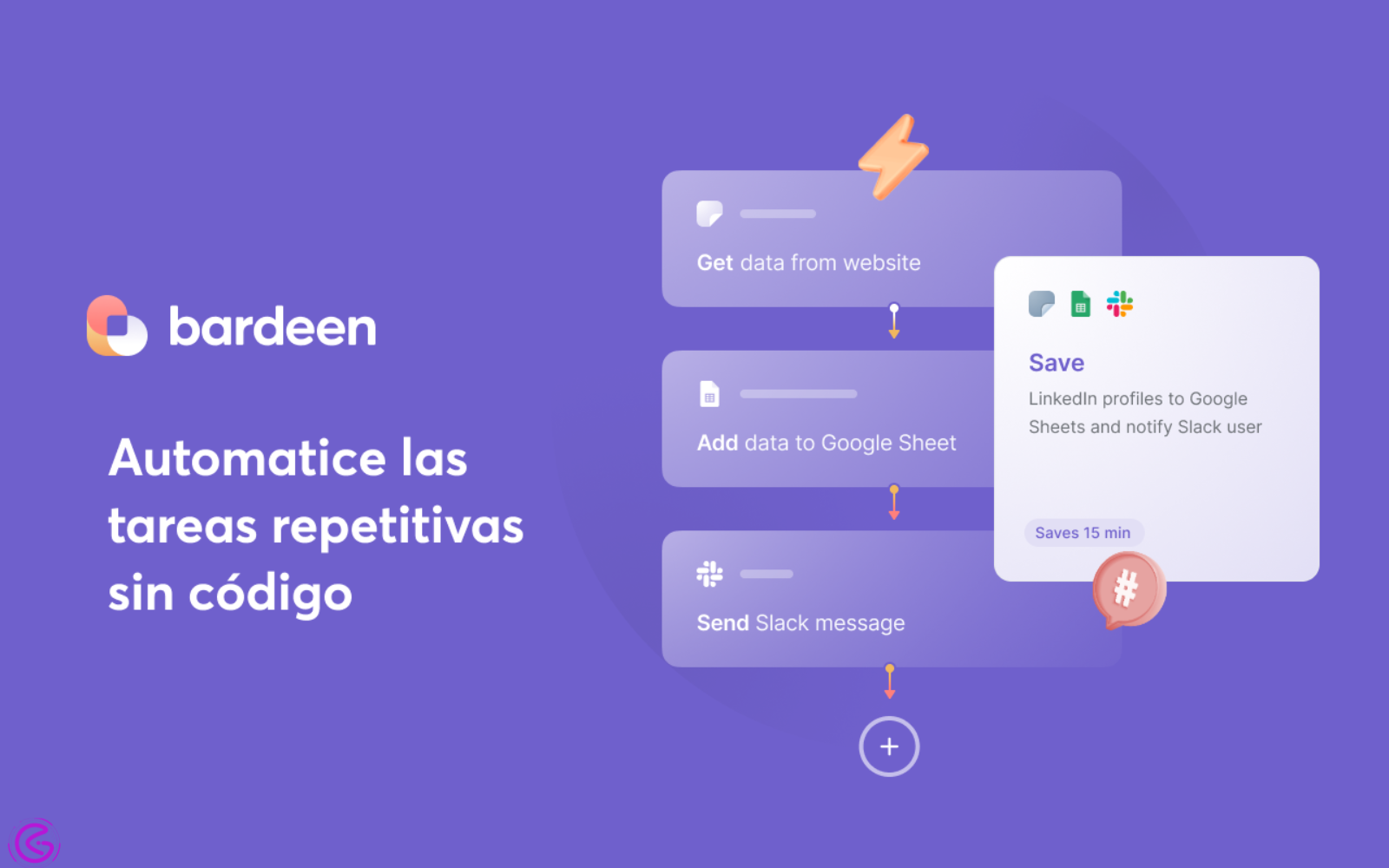
What’s Best For: Automating tasks inside your browser without needing to write code or use an API
Key Details: Has a free version; Paid plans begin at $10 per month
What it Does: Bardeen is a Google Chrome Extension that allows you to automate tasks within your browser. The software will scrape web data, fill in form fields, transfer data between tabs, and utilize artificial intelligence (AI) to categorize or summarize the data collected. All of this happens in real-time without having to set up an API or have a developer on staff. Wherever you are working is also where Bardeen can help you complete those tasks.
Why it Matters: Do you find yourself spending way too many minutes copy/pasting data back-and-forth between different browser tabs? LinkedIn profile info into a CRM database. Google search results into a Microsoft Excel spreadsheet. Web site data into a report. Whatever it is you need to do, Bardeen can do it for you in mere seconds. The most significant benefit business users have found after utilizing Bardeen for lead scraping workflows has been the lack of errors when transferring data. While saving time is certainly beneficial, finding out that every single row transferred perfectly to their CRM database without any errors due to copying/pasting information was even better. Using Bardeen for lead research, business users are able to create entire automated workflows that run automatically overnight without requiring any human input.
Late-2025 Update: Bardeen launched its AI-powered Autopilot feature in late 2025. Simply tell it what you want to accomplish in simple English terms (“Find me 20 Software-as-a-Service companies based in the United States currently looking for a Vice President of Sales”), and it will figure out exactly which steps to take and then execute each one of them on your behalf.
| Pros | Cons |
| Works inside your existing browser | Only runs when Chrome is open |
| No API or coding needed | Not suitable for server-side workflows |
| Strong lead research templates | The free plan has daily task limits |
Pro Tip: Pair Bardeen with Clay. Use Bardeen to scrape lead data from LinkedIn and websites, then push it into Clay for AI enrichment and personalized outreach.
3. ActiveCampaign
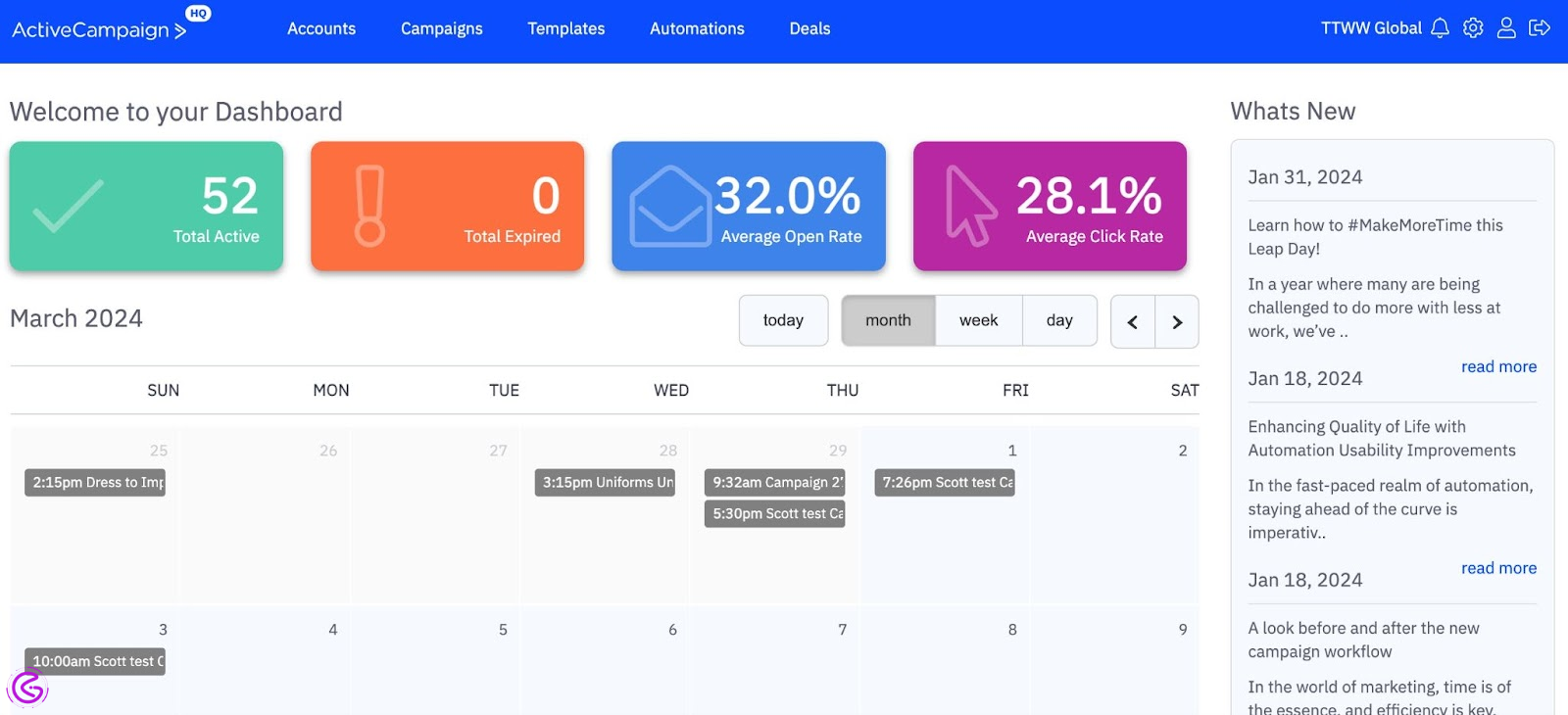
Best for: Smaller Businesses Whose Email Marketing is Revenue-Driven
Details: The basic package is $15 per month for up to 1000 subscribers.
What it does:
Email marketing software combined with Customer Relationship Management (CRM) and Artificial Intelligence (AI)-powered automation tools.
The platform has an automation builder that can manage lead nurture campaigns, trigger specific emails as leads behave, predict when to send based on timing of the lead’s previous activity, and automate follow-up communications with leads after they have been qualified by sales – all with decision points based on AI.
Why this matters:
Most smaller businesses use separate platforms to run their email marketing campaigns and manage their CRM. However, ActiveCampaign combines these two features into a single platform. The platform also enables you to automatically move leads through your funnel once they reach a predetermined score threshold. In doing so, ActiveCampaign will create a “deal” for your sales representative automatically and fill your pipeline without requiring you or your sales team to manually do so.
Mini Case Study:
ActiveCampaign stated that one client experienced a 440 percent increase in attendees at webinars utilizing automated onboarding workflows powered by AI-based triggering sequences. These were campaign-based sequences that delivered the correct message to the correct subscriber as he/she progressed through the funnel; rather than sending messages via a pre-determined schedule.
| Pros | Cons |
| Best-in-class email automation | Not a general workflow connection tool |
| CRM + marketing in one platform | Pricing scales with contact count |
| AI send-time and content optimization | A steeper learning curve to fully master |
Pro Tip: Use ActiveCampaign’s lead scoring + CRM deal creation together. Set a score threshold and auto-create a pipeline deal the moment a lead crosses it. Zero manual CRM entry. For invoice and billing automation on the finance side, see how to automate your invoicing with FreshBooks.
4. Fireflies.ai
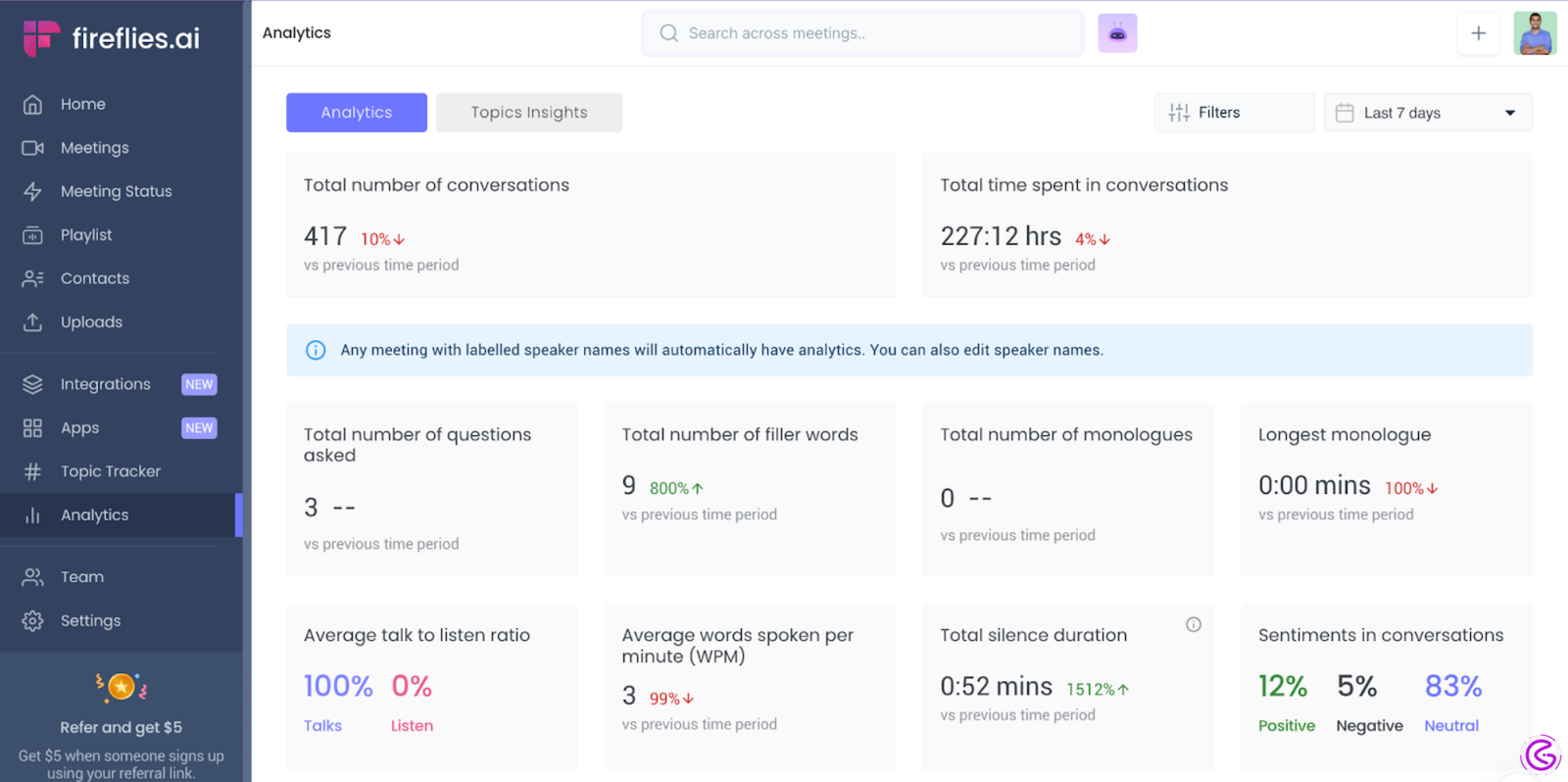
Ideal For: Small businesses running regular group calls with their clients
Key Details: Offers a free version of the service; priced at $10 per user monthly (paid)
How it Works: The Fireflies platform integrates into Zoom, Google Meet, and Microsoft Teams meetings. Once integrated, Fireflies records all spoken conversation during the call. At the conclusion of the call, Fireflies creates an automated summary of the discussion, including an action item list. The information then gets pushed to the users’ CRM, Slack, and/or project management tools. This occurs automatically after each call concludes.
Why it Matters: If you have had ten meetings in the past month and can only recall half the action items discussed — you are not alone. Most small business owners lose track of some portion of their conversations. Fireflies solves this problem completely. After every meeting, Fireflies provides a complete written record of the conversation, along with action items. Therefore, when closing your computer after a conference call,l there will be a complete follow-up document waiting for you. There’s no need to take notes or enter follow-up data manually into a CRM.
Data Point: According to a 2025 case study published by Microsoft, an organization using Microsoft’s AI-based meeting and reporting automation technology was able to save 2300 hours and reduce report writing time by 30%. These results are similar to those which could be expected on an ongoing basis by small teams using Fireflies’ automation capabilities.
| Pros | Cons |
| Works with Zoom, Meet, and Teams | Bot joining calls can feel awkward to clients |
| Auto-pushes tasks to CRM and Slack | Accuracy drops with heavy accents or noise |
| Searchable meeting transcript library | Free plan limits transcription minutes |
Pro Tip: Connect Fireflies to your CRM. If you use GoHighLevel, you can connect Fireflies to GoHighLevel for automatic call logging — every call auto-logs under the right contact with a full summary. Your CRM stays current without anyone typing a word.
5. Clay
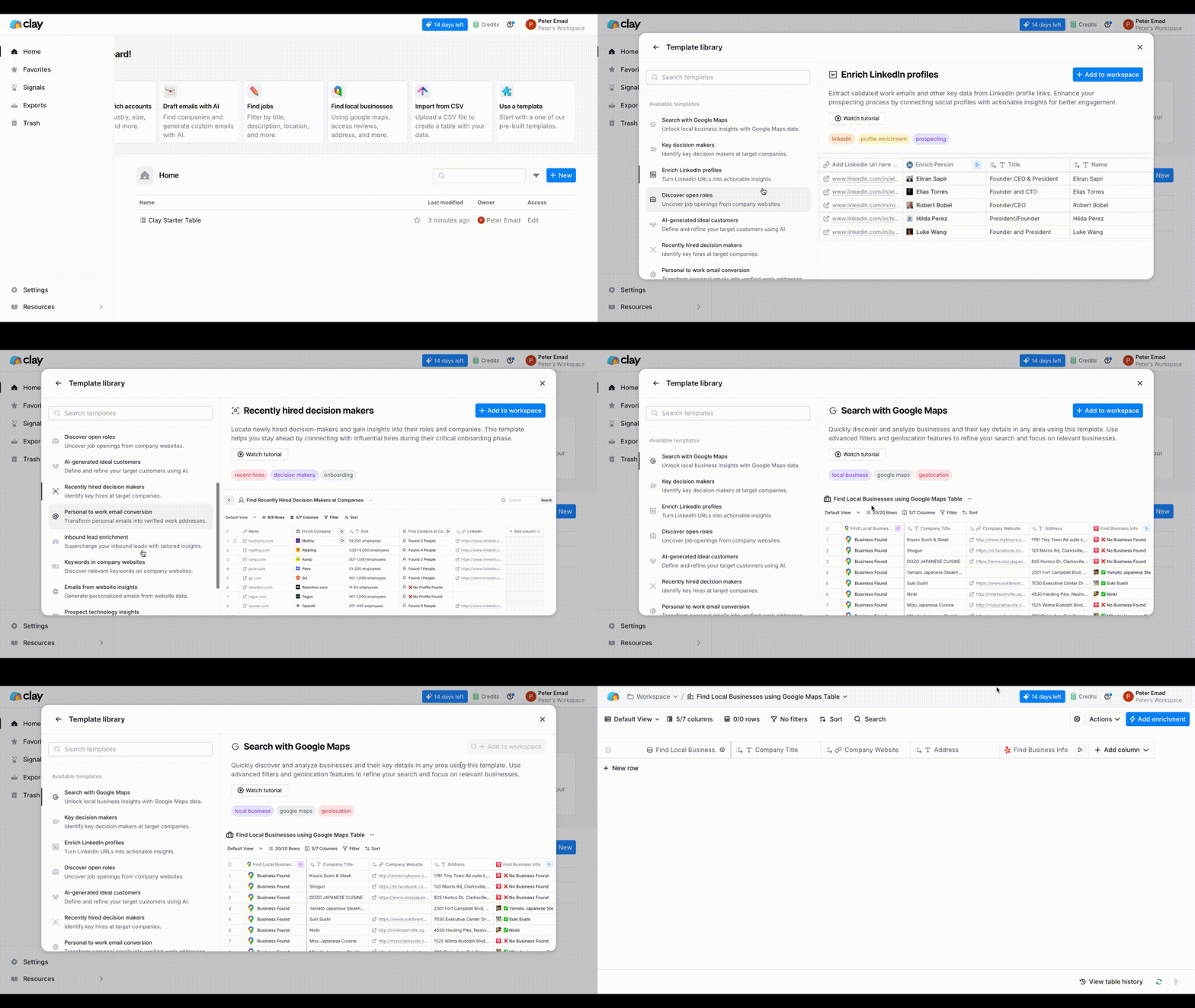
Best suited for sales and outreach workflows requiring in-depth, individualized lead analysis.
Main details: A free version of Clay is available. Pricing starts at $149 per month.
How it works: Clay brings together over 75 different data resources and applies AI to create ultra-individualized, workflow-based outbound (outreach) campaigns. The tool will research your leads automatically – company size, recent press releases, job titles, technology used by the organization — then use its AI engine to generate an original first line for every cold email sent out. And all this takes place within a spreadsheet-type interface.
Why is this important? This is where things get really interesting — nearly every other cold outreach platform sends the same email message to 1000 prospects. Clay’s AI will analyze each prospect and compose something that appears as though you have spent 20 minutes researching that one particular prospect. As such, response rates increase while spam complaints decrease, ultimately resulting in increased revenue.
2026 Update: In early 2026, Clay introduced AI Agent capabilities. These can independently browse the internet, review their LinkedIn profiles, and read company blog posts, and provide a comprehensive view of the lead without any input or assistance from you.
| Pros | Cons |
| Best-in-class lead enrichment | Expensive for low contact volumes |
| AI personalization at scale | Learning curve for non-sales users |
| 75+ data source integrations | Not a general workflow automation tool |
Pro Tip: Test Clay on 100 leads with the free plan first. If your reply rate jumps by 2x or more, the paid plan pays for itself in a single closed deal.
Real Use Cases of Workflow Process Automation
Before selecting an automated tool that will help your small business, understand how fast AI can deliver to you for the above-listed areas of improvement:
Lead Generation (Finding Leads) – Using AI as a replacement for manual searching, researching, and contacting new leads. See the 2026 list of top AI tools for small businesses in the link below for a complete set.
Customer Service (Ticket Routing) – Route customer support requests based on what was said vs. keyword matches.
Sales Follow-Up (Follow-Up Emails) – Draft and send personalized sales follow-up email communications based upon the actions taken by the prospect.
Meeting Management (Recording Meetings) – The audio from meetings is auto-transcribed into written form; key decisions are summarized in writing at the conclusion of each meeting; and all assigned tasks are identified immediately after each meeting.
Finance Operations (Automating Accounting) – Invoice information is extracted, and accounting entries are made automatically with no need for manual data entry.
Manual Work vs AI Workflow Automation
| Manual Work | AI Workflow Automation |
| Copy-paste data between tools | Auto-enriched data pushed to CRM |
| Manual follow-up emails | AI-driven personalized emails are sent automatically |
| Handwritten meeting notes | Auto summaries + tasks assigned instantly |
| Spreadsheet updates by hand | Real-time CRM and database sync |
| Keyword-based ticket routing | Intent-based routing with context understanding |
Each tool in this guide handles one or more of these use cases. Match your biggest pain point to the right tool — that is how you get ROI fast.
Comparison Table
Here is a quick comparison of the best workflow process automation tools in 2026 to help you pick the right one fast:
| Tool | Best For | Core AI Feature | Starting Price | 2027 Outlook |
| Gumloop | AI-native workflow building | GPT steps inside flows | Free / $97 | Autonomous agent builder |
| Bardeen AI | Browser task automation | AI Autopilot goals | Free / $10 | Deeper web agent features |
| ActiveCampaign | Email + CRM automation | Predictive sending + scoring | $15/month | AI campaign optimization |
| Fireflies.ai | Meeting-to-action workflows | AI transcription + task routing | Free / $10/seat | Real-time call coaching AI |
| Clay | Lead research + outreach | AI-written personalization | Free / $149 | Full autonomous prospecting |
What ROI Can You Expect from Workflow Process Automation?
The ROI of workflow process automation is one of the biggest advantages for small businesses. When it comes to numbers, they do add up. The following is a reflection of what some small business owners have been able to see in terms of actual results from using AI for their workflow automation processes.
- The average savings per employee (per week) is 10-20 hours, just by eliminating all of those long hours spent manually entering data, conducting follow-up work, and producing reports.
- About reducing manual error rates by as much as 70%, there will be fewer errors to correct in your CRM and/or spreadsheet.
- With workflow automation, you can expect an improvement in the speed at which you respond to leads and customers of approximately 2-5 times. Without having to hire additional employees, you will still be responding to all of these leads/calls quickly enough.
KissFlow found that in their 2026 data study, 60 percent of companies that implemented workflow automation were able to fully recover their initial investment in twelve (12) months. This number is likely higher for smaller teams because each hour that is eliminated through automated workflow is going straight back into growth initiatives.
FAQ
What does it mean to have an ROI (return-on-investment) with workflow automation?
Most small businesses can expect to see an ROI from workflow automation in 3-12 months as they save time, reduce error and increase production. They don’t need to hire more staff to achieve this. The real ROI from workflow automation is found in being able to scale their operation without having to scale their costs.
Which of these two tools would be the fastest way to get an ROI (Return-On-Investment)?
Both Bardeen and Fireflies.ai are low-complexity automated workflow solutions that allow users to experience immediate time savings with little to no technical knowledge. Therefore, both Bardeen and Fireflies will provide the fastest route to ROI for most small businesses.
Can I automate my workflow using GumLoop versus Zapier?
For general purposes such as connecting apps through API’s, Zapier will likely be a faster solution for creating a connection. However, if you’re looking to create an AI-based workflow, GumLoop will offer native GPT-based integration steps and therefore be a much better option for automating workflows that include AI.
Does Fireflies integrate with GoHighLevel?
Yes. Using either webhooks or Zapier, Fireflies provides the ability to send meeting summaries and action items directly to your GoHighLevel contact after each call. To learn how to do this in detail, read our full GoHighLevel Review.
How good is Fireflies at transcribing recordings?
Fireflies has achieved accuracy rates of approximately 90-95% for clearly recorded English language conversations. It uses AI to summarize the conversation and capture key points and action items,s even when the exact wording of the recording may not be perfect.
Conclusion
You have been using automated tools for some time now. Now, it’s time to use those tools smarter.
Workflow process automation is no longer optional for businesses in 2026. The tools in this report don’t just move data; they actually “understand” it. This makes a huge difference between saving an average of 30 minutes per week, versus having each task save you 30 minutes per day.
To get the fastest ROI (Return on Investment), we recommend starting with Fireflies as soon as possible. With Fireflies, it takes less than 5 minutes to set up, and you can be generating value from your very first phone call. After that, add one advanced tool, Gumloo,p if you are interested in building true AI Workflows, or Clay if Sales Outreach is where your focus lies. This is the way to create real Business Process Automation with AI Workflow Automation Tools — in a step-by-step fashion, so as not to overwhelm your team.
In addition to workflow automation tools, you also need to consider how to automate your billing and financials, which work together with your workflow stack. See how to automate your invoicing with FreshBooks that will take care of your money while these tools take care of the operational side.
As we look forward to 2027, Intelligent Automation Tools such as Clay and Gumloop will operate all aspects of the workflow — including Research, Outreach, and Follow-Up entirely by themselves. So now is the time to begin.
What of the above five tools would you be adding first? Post it in the comments. I read them all.