
Small businesses spend an average of 40% of their workweek on repetitive manual tasks — data entry, copying information between systems, chasing approvals. None of that work grows your business. RPA solutions automate those tasks. A bot handles the data work. You handle the decisions.
In 2026, RPA is no longer enterprise-only. Over 60% of organizations are now implementing automation tools, including teams of 2 to 10 people with no IT department. I tested 3 platforms specifically for small business use cases. Here is what each one actually does.
The three best RPA solutions for small businesses in 2026 are:
- Relay App –The best solution for collaborative teams that require human review at each step.
- Pipedream –The best solution for developers who need flexibility in customizing their automation workflows through coding.
- Active Pieces – The best solution for organizations needing an automated workflow solution with complete control over all aspects, including the hosting environment.
The 3 Best RPA Solutions for Smarter Growth
Let’s get into the tools I’ve personally spent time with. Each one serves a different need, whether you’re a collaborative team, a developer, or someone who values data privacy above all else.
Relay.app: The Collaborative Automation Hub
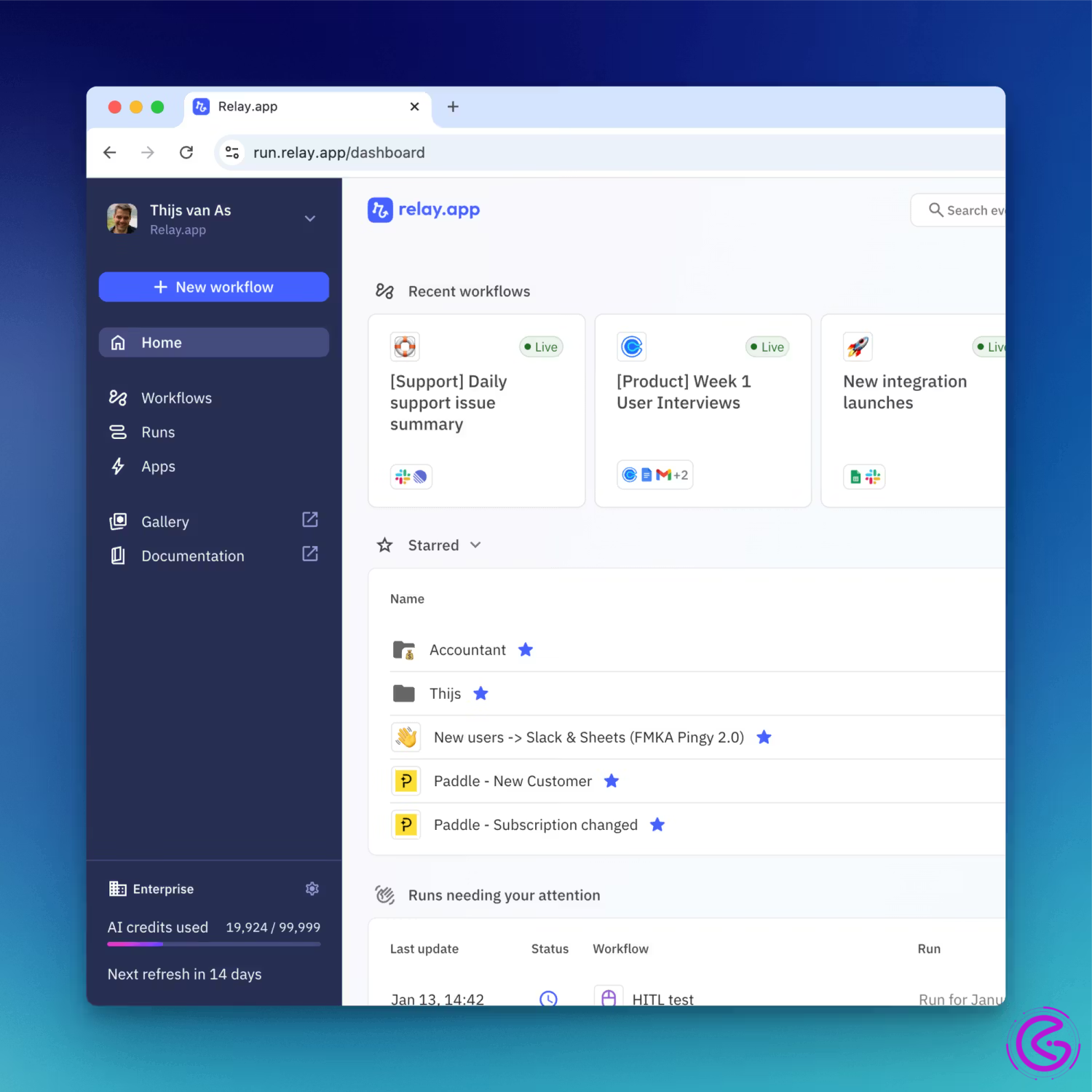
Best suited for: Teams using automation that require a human element.
Key Information: The tool allows for no-code development, uses AI, and has the ability to allow humans into the loop of approval, offering a Free tier.
Description: Relay app takes a concept approach that many (most) of the workflows we build will need some level of human interaction. Therefore, it creates the ability to develop workflows that have robots complete the data work prior to having a human review, approve,e or take an action prior to completing the workflow.
Why I like it: I’ll give you a quick example. I was trying to automate my company’s content publishing process. The bot could generate the first draft of the post. But I did not want to have the bot automatically publish the post. Most platforms were clunky in the approval steps. The Relay app created a way that the approval piece was a part of the workflow design. In other words, I had a project manager who was half man and half machine.
Do you see what I’m saying? If your team spends too much time in approval bottlenecks, this is the right tool for you.
Most Recent Update / Mini case study: In 2025, Relay App released an update that gave Relay the ability to summarize lengthy documents before they are sent out for human approval. One marketing team I am aware of reduced its campaign approval time from two days to less than a couple of hours.
Pros & Cons:
Pros
- Excellent for collaborative workflows
- Very easy to use, nice-looking UI
- Built-in Human Approvals
Cons
- Has been online for a while, therefore small community
- Still developing native integration capabilities
Tip: Take the same process that always seems to be held up for approval, such as expense reports. Develop a workflow to gather all of the necessary information, then send it off for a basic “yes/no” approval. Your bottleneck should melt away.
Pipedream: The Developer’s Secret Weapon
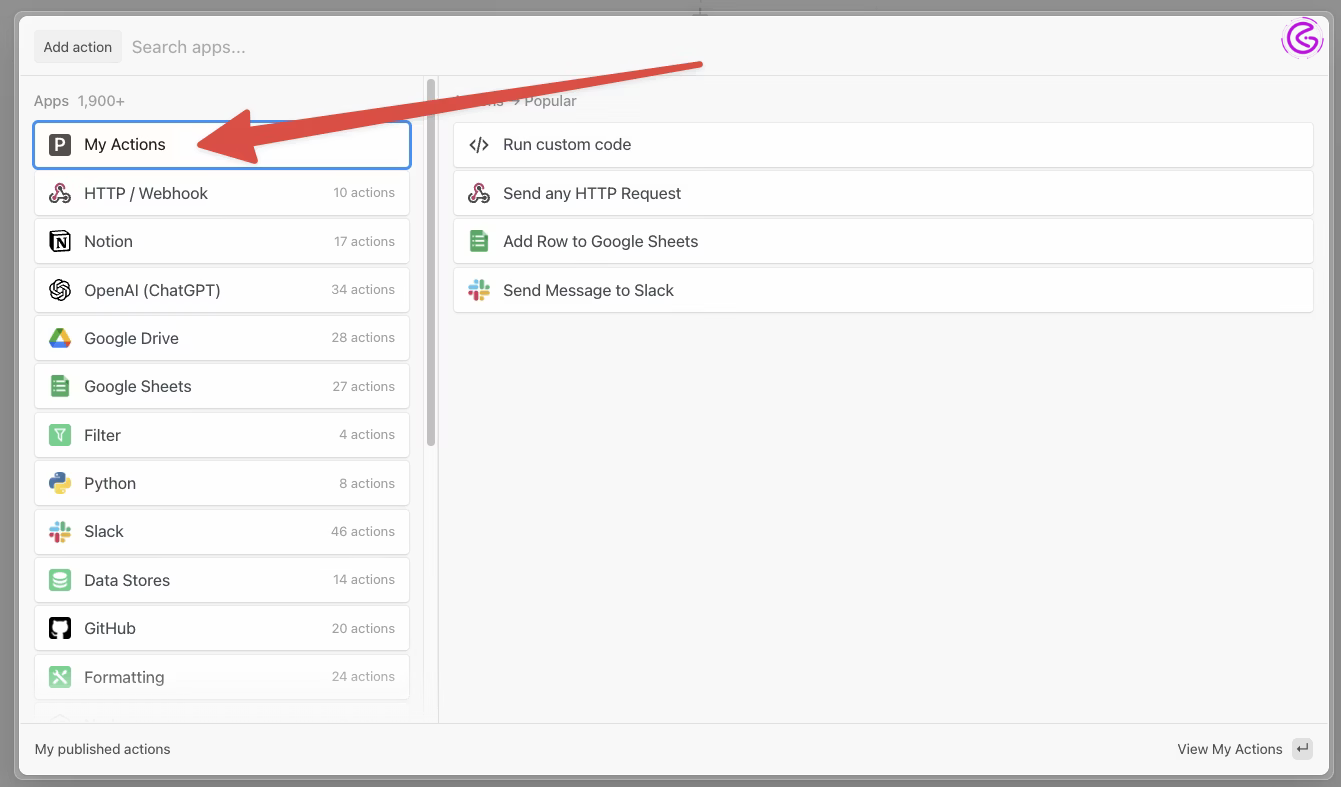
Best for: developers/technical users looking for maximum functionality.
Key features: serverless. Data storage capabilities. A generous free plan.
What it is/ what it does: Pipedream allows you to create workflows by writing and running Code (Node.js, Python, Go) based on events triggered.
Why I like it/ why it matters: Admit it, the first time I heard about Pipedream, I was intimidated. But I had to admit this is where pipedream excels. I had a workflow that would pull information from an API, process it using my own custom logic, and then temporarily store it in a database and send it out. Pipedream did all that seamlessly.
How many times have you wished that you could just write a few lines of Code to fix an automation? With Pipedream, you can.
Recent statistic: A 2026 developer survey indicates that 68 percent of developers find platforms that offer both code-level customization as well as pre-built connectors appealing.
Pros and cons:
Pros
- The greatest amount of flexibility with Code.
- Contains a built-in, SQL queryable data store.
- Very cost-effective for large volumes.
cons
- Steeper learning curve for non-technical users.
- Less visually pleasing interface compared to competitors.
Pro tip: Use their open source, pre-built templates. Find a template that is 80% of your needs, make a duplicate of it, and customize the last 20% with Code. That is exactly how I learned.
Activepieces: The Open-Source Powerhouse
Best for: companies with data protection concerns looking for an option to host themselves.
Key features: open source, self-hosted, modern interface, community-driven.
What it is/ does: Activepieces is an open-source replacement for mainstream automated tools. While they do offer a cloud-based version of their software, the true power lies in self-hosting it yourself, which means you have full control over all of your data.
Why I like it / why it matters: Let’s think about this… If you are in the healthcare industry, finance,e or simply just a company that has concerns about your clients’ data being stolen from one of your vendors (which you probably should), then using one of these cloud-based automated solutions will always seem at least slightly suspicious. Activepieces fixes that issue.
I set up active pieces for my friend’s law firm, which needed to automate some of their document processing; however, they could never send their client data to a vendor as a cloud-only solution. With Activepieces, they were able to build out a robust RPA solution while maintaining total security by running everything on their own hardware.
Recent update/forecast for next year: In the 2025 update for Activepieces, the team made heavy investments into integrating artificial intelligence into their platform. This enabled users to connect their local AI models,s such as Ollama. Based on the current trend, I believe that for 2027, there will be many companies requesting the ability to run both their AI and automation stacks within their self-hosted environments.
Pros & Cons:
Pros
- Total data control
- No vendor lock-in
- Cost-effective when scaling
Cons
- requires technical know-how to self-host
- community-driven support
Pro tip: First, try out their free cloud version and map out the workflow you would like to implement. Upon confirming that the solution works as desired, create a new self-hosted environment.
Quick Summary of RPA Solutions & How to Choose
Here’s a quick comparison of the top RPA solutions:
| Item | Best For | Key Feature | Next Year Outlook |
| Relay.app | Collaborative teams | Human-in-the-loop approvals | Standard for hybrid human-AI workflows |
| Pipedream | Developers | Code-level customization | Will evolve into “automation OS.” |
| Activepieces | Privacy-focused businesses | Open-source & self-hosted | Open-source RPA sees massive adoption |
How to Choose the Right One for You
Ask yourself these three questions:
- Do I need human approval in workflows?→ Relay.app
- Am I comfortable writing code?→ Pipedream
- Is data privacy my top concern?→ Activepieces (self-hosted)
- Beginners: Relay.app – clean interface, no coding
- Developers: Pipedream – code-friendly and flexible
- Privacy-focused: Activepieces – self-host and own your data
- Budget-conscious: Activepieces (self-hosted) or free tiers of Relay.app and Pipedream
Key Takeaways / Top Picks at a Glance
- Best for Collaboration: Relay.app – Built-in human approvals
- Best for Developers: Pipedream – Code-level control
- Best for Privacy: Activepieces – Self-hosted security
- Best Free Tier: Pipedream – Generous for high-volume needs
- Next Year Watch: Relay.app’s AI features — defining the next wave of RPA solutions
Conclusion
Automation should be seen as a way to free people from mundane tasks; therefore, we can focus on the “human” aspects of our jobs. In other words, some of the most powerful RPA solutions I have shown you in this presentation can be used as tools to assist your organization in reaching its goals.
If you want to begin building an automation program, whether it starts by using Relay.app for approval processes, Pipedream for complex data integration, or Activepieces for self-hosted security, simply pick something that currently bothers you and automate it over lunch.
As we approach 2027, we will see AI and RPA become almost indistinguishable. Therefore, if you wanted to learn how to use RPA and/or AI, now would be the best opportunity.
Q: Is RPA the same as artificial intelligence?
A: No. While both are forms of automation, they have distinct functions. Artificial Intelligence is the ability to think or act independently, whereas RPA is simply following pre-determined logic. Modern versions of RPA are now using AI capabilities to process unstructured data and make decisions that were previously outside the realm of automation.
Q: What is the average price for RPA solutions?
A: Like most applications, pricing for RPA platforms varies greatly depending on what features and support services the customer needs. Most vendors provide free trials. In terms of paid service, most platforms charge anywhere from $15-50/user/month. For example, if your company has five employees who will use this platform, and you want to add some additional advanced features such as AI processing capability, your monthly subscription would be somewhere in the range of $75-$250. If you choose to go with an open-source RPA solution such as Active Pieces, you’ll only incur costs associated with the servers needed to host your own version of the application.
Q: Do I have to know how to program to use an RPA tool?
A: No. While many RPA solutions allow the developer to customize their automation processes through programming, there are many other solutions available today that don’t require any knowledge of programming. A good example is Relay App, which allows non-developers to create customized workflow automation based on a visual interface.\
Q: Which is the easiest RPA solution for someone who isn’t technical to learn?
A: Relay.app is by far the most user-friendly. The simplicity of its UI and the drag-and-drop nature of its visual workflow builder make it simple for a business user to build automations without writing code.
Q: Are RPA solutions capable of working with an organization’s outdated or legacy software?
A: Pipedream has HTTP Request Nodes, which allow for API calls to older systems. If there are no APIs available on your older system, you will likely need something more specific than a general-purpose RPA solution.
Q: How much money will implementing an RPA Solution Cost?
A: It can cost anywhere from $0 (for example, some platforms have a free tier) up to many hundreds of dollars per month. Relay.app has a very robust free offering, Pipedream also has a very strong free tier, and Activepieces is free as long as you host it yourself.
Q: What is the main difference between RPA and AI-Powered Automation?
A: Traditional RPA is based on rules. Therefore, it performs only what you have told it to do. On the other hand, AI-Powered automation allows for the use of artificial intelligence to analyze unstructured data. For example, when using optical character recognition technology to read a scanned invoice and extract the total amount owed. As of right now, almost all modern RPA Solutions include this type of AI-Powered functionality. (Source: IBM on Intelligent Automation)