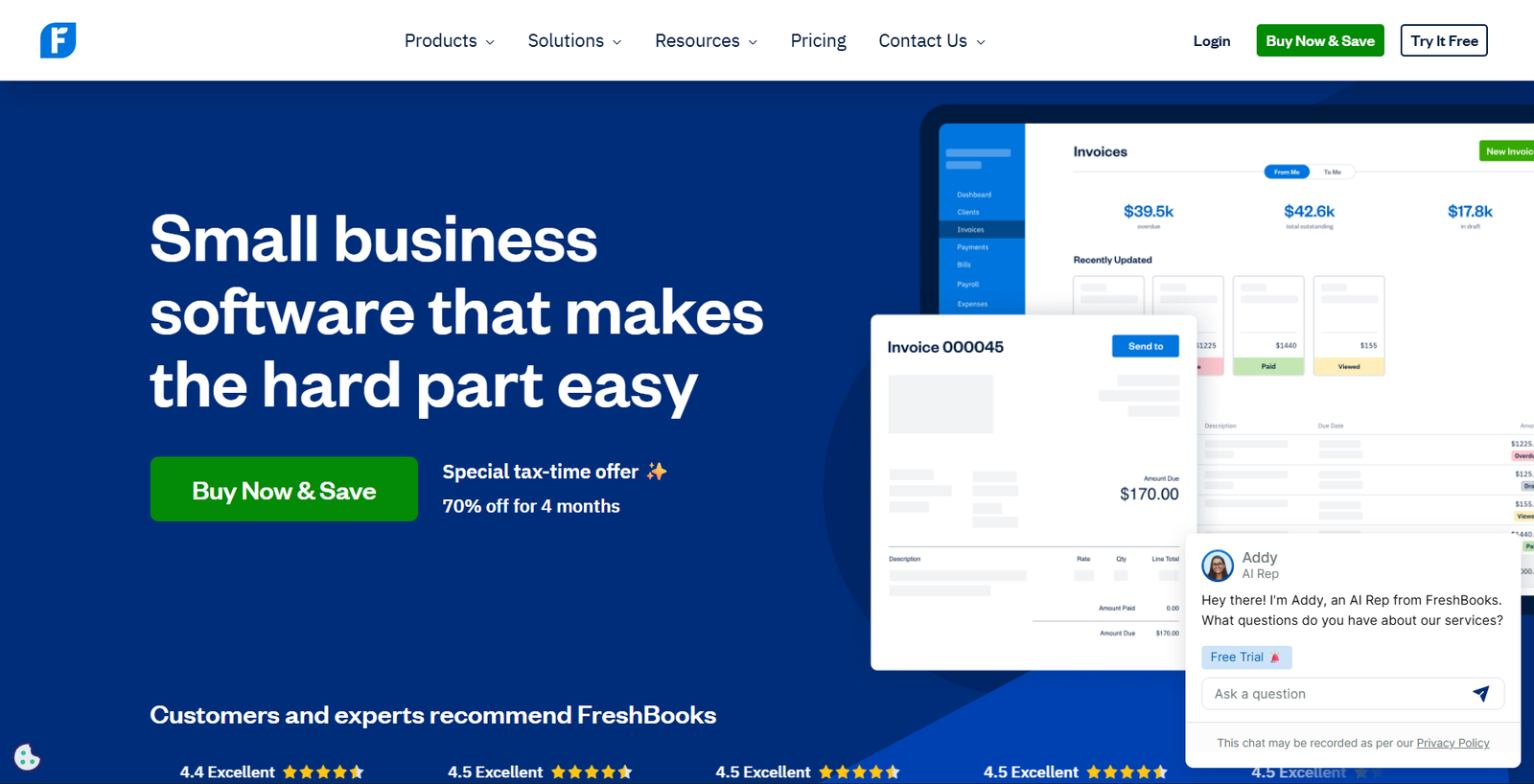
Managing Invoices Manually Is Killing Your Time — I Tested FreshBooks to Fix That
Honestly, there are many ways that my time was wasted each week. My time was wasted in tracking down overdue payments from clients (hours and hours), inputting my expense entries into a spreadsheet, and trying to keep track of how much money each client owed me. There were times when I felt as if I was running out of steam – both literally and figuratively.
At some point, I began using FreshBooks. During the course of one week, I realized why over thirty million users trust it to manage their financials.
This FreshBooks Review is intended for freelancers, agency owners, and other small business owners who are overwhelmed by billing and accounting issues. The purpose of this review is to help you save your own time by reviewing and/or testing all features offered through FreshBooks; analyzing the cost structure; and comparing those costs against its competition — so that you do not have to do this work yourself.
What Is FreshBooks?
FreshBooks provides a “cloud” based accounting system which is designed for those who have service-based businesses (i.e., freelancers, consultants, design professionals, advertising agencies, etc.) and need to create invoices to bill clients for services rendered.
The main difference between FreshBooks and traditional accounting systems is that traditional accounting systems are developed for individuals who are trained as accountants. FreshBooks has been developed for all users. The user interface is very clean and easy to use, and it allows users to focus on what matters most: timely payment, expense tracking, and maintaining a record of financial transactions without employing a full-time bookkeeper.
FreshBooks performs three main functions very well:
- Invoicing & Billing: Send professional invoices to clients in just minutes. Clients can also pay directly from the invoice through online banking.
- Time Tracking & Expense Reporting: Log billable hours while working. Connect your bank account to allow FreshBooks to pull in automated expense entries.
- Reporting Financial Performance: Develop Profit/Loss Statements, Tax Summaries, and Project Reports using the same level of expertise required to develop a budget.
FreshBooks Key Features
💳 Invoicing & Billing
This is where FreshBooks stands apart from the competition –and frankly, this is why most individuals use it.
It takes roughly sixty seconds to create an invoice. You identify the customer, list each item you are billing them for, determine when they have to pay (the “due” date), and press “send”. It really is as easy as that. Invoices appear very professional. You may include your company’s logo on the invoice, select color options for the invoice, and personalize the message in the invoice.
However, the real power of FreshBooks lies in its automated functions. Automated payment reminders will be sent to clients who do not pay within the time frame established at the time of invoicing –a function that has saved numerous hours of sending awkward follow-up emails to clients. You can also establish automatic recurring invoices for retainers -this means that each month, a new invoice will be generated without having to lift a single finger.
The client receives the invoice via e-mail and can make a payment using Visa/Mastercard/Discover, ACH Bank Transfer, Apple Pay, Google Pay, or through Buy Now, Pay Later. They do not need to register for an account to make payments.
⏱ Time Tracking
FreshBooks has one of the cleanest Time Tracking Tools I have used for tracking billed time when you charge hourly. You may use the timer built right into the dashboard to start a timer as soon as the job begins. Alternatively, you may record hours worked later.
One of the biggest advantages is that once you log your hours, you can turn those hours into an invoice in just one click. There will be no need to copy and paste hours or make manual entries. This single feature alone saves freelancers and agencies hundreds of hours of administrative work each month.
In addition, the mobile app provides a timer to allow you to track time while on calls or meetings with clients.
📊 Expense Tracking
Connect your bank accounts or credit cards, and FreshBooks will pull in your transaction data. Once the data is in FreshBooks, you are able to organize the transactions by categories (you can even allow FreshBooks to do that work for you through their smart rule system), and all of that information will be available at tax time.
In addition, you can take pictures of your receipt on your mobile device and connect those directly to your expense. This ability to link receipt images to expenses is truly a great tool, as well as being extremely helpful for business-related meals or travel.
FreshBooks has made the process of organizing business finances, which was once a function requiring hiring a bookkeeper, into an easily accomplished ten-minute process each week.
📈 Financial Reports
The reports from FreshBooks are clear, simple to read, and make sense.
I. Profit and loss report — You can see all of the money you have made minus what it has cost you to run your business.
II. Tax summary — This will help you organize this information to take to your accountant when you do taxes each year.
III. Expense Reports — These can be filtered by Category, Date, and Client.
IV. Invoice Reports — You can track the number of outstanding, paid, and late invoiced (overdue) invoices.
V. Project Profitability — If you use the Premium Plan of FreshBooks, you can also see how profitable a project is per client.
🔗 Integrations
FreshBooks has an integration of over 100 apps to help you automate your business in a variety of ways, including but not limited to:
- Payments: Payment Gateway – Stripe, PayPal, Square
- Online Store: Shopify & E-commerce Platform – WooCommerce
- Automation: Zapier & Make (formerly known as Integromat)
- Customer Relationship Management Software: Hubspot
- Payroll software: Gusto or ADP
- Communication Tools for Teams: Slack, Trello, Asana
🚀 Start Your Free FreshBooks Trial →
FreshBooks Pricing 2026 – Full Breakdown
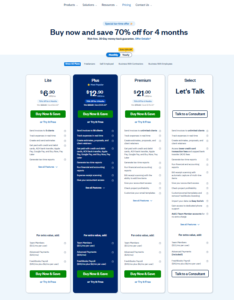
FreshBooks offers four pricing tiers. Here’s what each one includes and who it’s best for:
Lite Plan — $23/month
(~$9.20/month for first 3 months with current 60% off promotion)
| Feature |
Included |
| Billable clients |
Up to 5 |
| Invoices |
Unlimited |
| Expense tracking |
✅ |
| Time tracking |
✅ |
| Tax summaries |
✅ |
| Mileage tracking |
✅ |
| Mobile app |
✅ |
Ideal for: New solo freelancers with a limited number of consistent clients; they can keep their number of clients under five (or will be forced to go up to another plan) when it is time to expand.
Plus Plan — $43/month ⭐ Most Popular
(~$17.20/month for first 3 months)
Everything in Lite, plus:
| Feature |
Included |
| Billable clients |
Up to 50 |
| Recurring invoices |
✅ |
| Client retainers |
✅ |
| Unlimited proposals |
✅ |
| Automated late fees |
✅ |
| Double-entry accounting |
✅ |
| Bank reconciliation |
✅ |
Ideal for: Freelance consultant(s), small agency(s), or growing freelance(s) with a large number of clients, each of whom has an agreement for regular payment.
Premium Plan — $70/month
(~$28/month for first 3 months)
Everything in Plus, plus:
| Feature |
Included |
| Billable clients |
Unlimited |
| Project profitability tracking |
✅ |
| Custom email templates |
✅ |
| Automated client emails with dynamic fields |
✅ |
| 2 team members included |
✅ |
Ideal for: Small businesses/agencies that have grown past the client limit, require more detailed reports, etc.
Select Plan — Custom Pricing
For large companies with many and difficult to manage client relationships. The plan has all that Premium has, as well as a dedicated account manager, reduced transaction costs, and faster support from the company team.
Best suited for: Agencies, Professional services firms, Companies having over 50 active clients, and large volumes of invoices.
Add-On Costs (Important!)
There are also additional fees to consider when creating your budget:
- Additional Team Members: +$11/month/user (over and above the number of users allowed with each plan)
- Advanced Payments (Credit Card Store & Auto-Charge): +$20/month
- FreshBooks Payroll: +$40/month + +$6/month/employee
Worth it? Absolutely for all Freelancers & Service-Based Businesses. Time saving from Invoicing & Expense Tracking alone will pay for this subscription many times over.
Does FreshBooks Offer a Free Trial?
Yes, and it’s probably one of the best free trials available in its class.
FreshBooks has a 30-day free trial that gives users complete, unlimited use of all the tools. To begin the process, you don’t have to enter a credit card number.
Additionally, you can opt out of trying before buying by getting an even better deal on your first three months than if you’d just bought. Right now, you can save up to 60 percent on those three months.
The free trial lets you try the invoicing tool as well as track expenses and hours worked. It also allows you to generate reports, access the mobile app, and utilize any of the integration options — so basically, anything you would ever need to truly test if FreshBooks will be suitable for your business.
🚀 Start Your Free 30-Day Trial → (No credit card needed)
FreshBooks Pros & Cons
✅ Pros
Best invoicing experience ever:
The invoice builder was by far the quickest and easiest I have seen to create a pro-looking invoice that you get paid from right away!
Easy to use.
FreshBooks has been built so that anyone who does not have an accounting background can easily use it. They made sure to keep things as simple as possible.
Automation helps:
FreshBooks includes automatic reminders (for payments), recurring invoicing, and late fee features that take care of many of the most time-consuming tasks in managing a service business.
Mobile app.
All of your work is easy to do with FreshBooks mobile. You can track time, send invoices, and submit expenses, all while on-the-go.
Your client’s experience.
Your clients are going to be able to view very nice-looking invoices and be able to immediately pay them via their preferred method.
Free trial. 30-day free trial.
There is nothing worse than trying out software and finding out you like it, but then being asked to enter a credit card number before you even try it out.
❌ Cons
Client Caps On Lower Plans
The 5-client cap on Lite feels limiting quickly. Most users feel they will be required to switch from Lite to Plus in 2-6 months.
Limited Advanced Accounting
FreshBooks is not made for complicated inventory management, multiple entities, or the deeper financial reports of larger companies. For these types of clients, you would want to use either QuickBooks or Xero.
Pricing Adds Up With Team Members
Each team member added costs $11 per month to the cost, more than your initial price. This makes FreshBooks quite a bit pricier if you have a team.
Data Access After Cancellation
Some customers stated that when they cancelled their account, they were unable to see all historical invoice & customer information. This could be something you should think about before making any commitments.
FreshBooks vs Competitors
FreshBooks vs QuickBooks
| Feature |
FreshBooks |
QuickBooks |
| Ease of use |
⭐⭐⭐⭐⭐ Excellent |
⭐⭐⭐ Moderate |
| Invoicing |
⭐⭐⭐⭐⭐ Best in class |
⭐⭐⭐⭐ Good |
| Advanced accounting |
⭐⭐⭐ Basic |
⭐⭐⭐⭐⭐ Excellent |
| Payroll |
Add-on |
Built-in (higher plans) |
| Starting price |
$23/month |
$35/month |
| Best for |
Freelancers, service businesses |
Larger SMBs, product businesses |
Verdict: When it comes to ease of use for creating an invoice, FreshBooks takes the prize. As far as how deep your financial statements can be, QuickBooks is the clear winner. If you’re running a business that sells products (you have inventory) and/or need a lot of detailed reporting capabilities, I would recommend going with QuickBooks. Otherwise, for most businesses, FreshBooks will offer a much better user experience at a lower cost.
FreshBooks vs Wave
| Feature |
FreshBooks |
Wave |
| Price |
From $23/month |
From $16/month |
| Free plan |
❌ No |
❌ No |
| Invoicing quality |
⭐⭐⭐⭐⭐ |
⭐⭐⭐⭐ |
| Automation |
⭐⭐⭐⭐⭐ |
⭐⭐⭐ Limited |
| Time tracking |
✅ Built-in |
❌ Not available |
| Best for |
Growing freelancers/agencies |
Micro-businesses on a tight budget |
Verdict: Wave costs less money than FreshBooks. Wave does much less. Most of all, Wave lacks both good time tracking and time tracking automation. So if you have to be cheap, then start with the wave. However, most people will grow beyond this very soon
FreshBooks vs Xero
| Feature |
FreshBooks |
Xero |
| Ease of use |
⭐⭐⭐⭐⭐ Very easy |
⭐⭐⭐⭐ Moderate |
| Advanced accounting |
⭐⭐⭐ Basic |
⭐⭐⭐⭐⭐ Excellent |
| Multi-currency |
Limited |
✅ Strong |
| Users included |
1 (others cost extra) |
Unlimited (all plans) |
| Starting price |
$23/month |
$25/month |
| Best for |
US-based service businesses |
Global SMBs, accountant-led businesses |
Verdict: Xero’s ability to have as many “users” (a benefit for team environments) & its handling of multiple currencies (a big help to international companies) are huge advantages to using Xero. That being said, FreshBooks is much easier to use than Xero & has a much better workflow for invoicing clients.
Who Should Use FreshBooks?
Freelancers
If you bill clients for your freelance work, your time spent on projects/consulting services, FreshBooks has features that automate time tracking & invoices with online payments, which will save you hours per week. Additionally, the FreshBooks mobile app allows you to create and send an invoice at almost any time in about 2-5 min.
Agencies & Creative Studios
The plus and premium accounts for agencies working with many different clients will be particularly well-suited to utilize the Project Tracking, Client Portals, and Retainer Billing features. Additionally, being able to track profit on a per-project basis on the Premium Plan allows you to see which of your clients or project types are really worth your time.
Small Service-Based Businesses
Businesses that want to keep their finances organized, but do not require a full-time Bookkeeper (Coaches, Consultants, Lawyers, Accountants, Contractors, etc.) to work as a Service Provider and bill customers consistently.
Who Should NOT Use FreshBooks?
Large Companies:
FreshBooks has not been designed for large corporations that have many departments, inventory levels, and employee numbers in excess of several hundred. These types of businesses would be better suited to use software such as QuickBooks Enterprise or NetSuite.
Inventory-based Product Businesses:
FreshBooks does not include Inventory Management. This means that if your company includes tracking physical products, this will likely create a problem with FreshBooks.
Multi-Entity Accounting:
If you are operating multiple business entities through one parent entity, then FreshBooks cannot manage the type of complexity required.
Large Teams Requiring Unlimited Users at Reasonable Cost:
The cost associated with the use of FreshBooks ($11 per user/month above your monthly subscription) could become excessive for a team requiring unlimited users.
Real User Experience – My 30 Days With FreshBooks
I signed up for the free trial (I have absolutely NO accounting knowledge) to get a feel for how the “setup” process would be from the perspective of your average small business owner.
- Onboarding: Onboarding took about 10 minutes. They led me step by step through linking my banking account, creating my company profile, and making my first invoice. I never had a question as to which button to click or what to do next — the interface truly is that clean.
- Daily Usage: During the week, I utilized the time-tracker; at the conclusion of each project, I converted those logged hours directly into an invoice. The flow of these two tools is seamless. What previously required 30 minutes of calculations & formatting now takes less than 5 minutes.
- Dashboard: Simple. Uncomplicated. I could quickly view all outstanding invoices, most recent payments, total expenses so far this month, and a graphical representation of revenue compared to expenses. In many ways, it looked more like a business health dashboard than a traditional accounting tool.
- Surprise: Automated payment reminders really do work. I made an invoice using a 7-day payment term, and they sent me an automated reminder on Day 8. To Freelancers who deal with late-paying clients, this one feature alone will make the $9.95 monthly fee well worth it.
- Frustration: Hit the 5-client limit on Lite too quickly. When I added a second Team Member to test out some of the Collaboration Features, it instantly prompted me to pay them $11 per Month for the Add-On, which somewhat annoyed me.
Is FreshBooks Safe?
In addition to being a serious provider of accounting solutions that protect their customers’ information, FreshBooks provides several layers of protection to ensure their customers’ financial information remains protected. All data transmitted through the site is encrypted using 256-bit SSL encryption (same as banks), while data storage occurs on redundant secure servers that are backed up regularly.
Additionally, FreshBooks meets the highest level of compliance with major data privacy regulations. With over twenty years of experience (established in 2003), FreshBooks is not an inexperienced “fly-by-night” startup. Since FreshBooks operates in the cloud, it provides significantly higher levels of protection for its users‘ financial data compared to data stored on a user’s personal computer – especially when considering that computers can fail or be stolen.
Finally, FreshBooks allows two-factor authentication (2FA) on every account to add another layer of security.
FreshBooks Performance & Ease of Use
1. Speed (Performance):
I found FreshBooks to load very quickly in my web browser. And the mobile application was very responsive with no slowdown when producing reports or accessing customer information.
2. User Experience/UI Design (Cleanliness of Interface):
Of the Accounting Software platforms, FreshBooks has one of the cleanest interfaces. All of the navigation elements are located as you would expect them to be, the colors used by FreshBooks do not strain your eyes, and calls-to-action are clear.
3. Ease of Learning (How long does it take to become proficient? ):
For most users, there will be virtually NO learning curve for basic invoice creation and expense management. Most users should be able to use FreshBooks effectively in less than an hour. The more advanced functionality, such as Bank Reconciliation and Double-Entry Accounting, will require some additional study; however, FreshBooks provides a comprehensive series of video tutorials on their website along with step-by-step guides available directly in the application.
4. Mobile Application:
This is likely one of the best mobile applications for Accounting software available. As a user, you can easily track time spent on tasks, scan and save receipts for expenses incurred, create/send invoices, view reports, and many other functions, all from your smartphone. The Mobile App is available on both IOS and ANDROID.
FreshBooks FAQ
Is FreshBooks free?
While FreshBooks is not an option for a long-term complimentary offering, they do give you a 30-day free trial, where you will be able to make use of their complete set of features, and no credit card will be asked for. Their paid strategies begin at $23 each month.
Is FreshBooks right for a small business?
Yes — it is just one of the finest alternatives, particularly designed for little solution based organizations. It takes care of invoicing, costs tracking, time logging, as well as simple bookkeeping in an extremely user-friendly bundle without any type of accountancy training called for.
Will FreshBooks help me with taxes?
FreshBooks does help make preparing for taxes much simpler. The software application creates a tax obligation recap, organizes expenditures into categories, and develops earnings/profit and loss records which can be offered straight to your accountant. While FreshBooks does organize your documents to ensure that you can take them to your accountant for filing, it does not prepare your taxes or submit your taxes to the Internal Revenue Service.
Will FreshBooks replace QuickBooks?
For freelance individuals and little solution based businesses – generally, for those business who require sophisticated accounting, stock monitoring, or difficult payroll – no. FreshBooks manages the everyday financial administration that the majority of small companies really call for, however does lack deepness like QuickBooks for more intricate procedures.
Does FreshBooks have a mobile app?
Yes. FreshBooks has an effectively examined mobile app (iOS & Android). Using your smartphone,e you can send out an invoice, log hours, capture receipts, and produce records.
If I cancel my subscription to FreshBooks, what happens?
You will shed accessibility to your information once you terminate your registration. Some customers reported losing access to historic billings once they canceled; therefore, it would be a good suggestion to download and install your information before terminating your membership.
Are there any discounts on FreshBooks?
FreshBooks regularly runs marketing campaigns. Presently, brand-new sign-ups can get approximately 60% off their first three months. Yearly payment likewise conserves you 10% over paying regular monthly.
Final Verdict – Should You Use FreshBooks in 2026?
For most Freelancers and small service-based businesses, the answer to whether they should use FreshBooks after 30 days of testing will be a resounding yes.
FreshBooks does what it promises – invoicing, tracking expenses, and basic accounting are fast, clean, and pain-free. With automation features such as payment reminders, recurring invoices, and automatic late fees, hundreds of dollars in lost revenue from late payments can be recovered and dozens of hours of admin time saved every year.
However, FreshBooks is not right for everyone. If you have a large team or need inventory management or complex accounting reports, then you will outgrow FreshBooks quickly. That’s not who FreshBooks was built for.
If you are one of the following types of business owners, then you would benefit from using FreshBooks:
Freelancers who invoice clients for time or services.
Small agencies that manage client retainers.
Small service-based businesses looking to keep their books clean without an accounting degree
🚀 Start Your Free 30-Day FreshBooks Trial → (No credit card required)
Related Articles You Might Find Helpful
If you’re building out your small business tech stack, these reviews on GrowrAI might interest you:
Disclosure: Some links in this article may be affiliate links. If you purchase through them, we may earn a small commission at no extra cost to you. We only recommend tools we’ve personally tested and believe in.